
While most Captchas are legitimate, cybercriminals are creating convincing imitations that trick users into installing malware. Instead of asking you to identify traffic lights or type words, they instruct you to use keyboard shortcuts and paste harmful commands into your computer.
Below, we take a closer look at how these scams work, the warning signs to watch for and what to do if you think you’ve fallen for one.
Already a Tech Support member? For more help and 1-2-1 technical advice, including advice on malware and scams, go to our .How does the fake Captcha scam work?
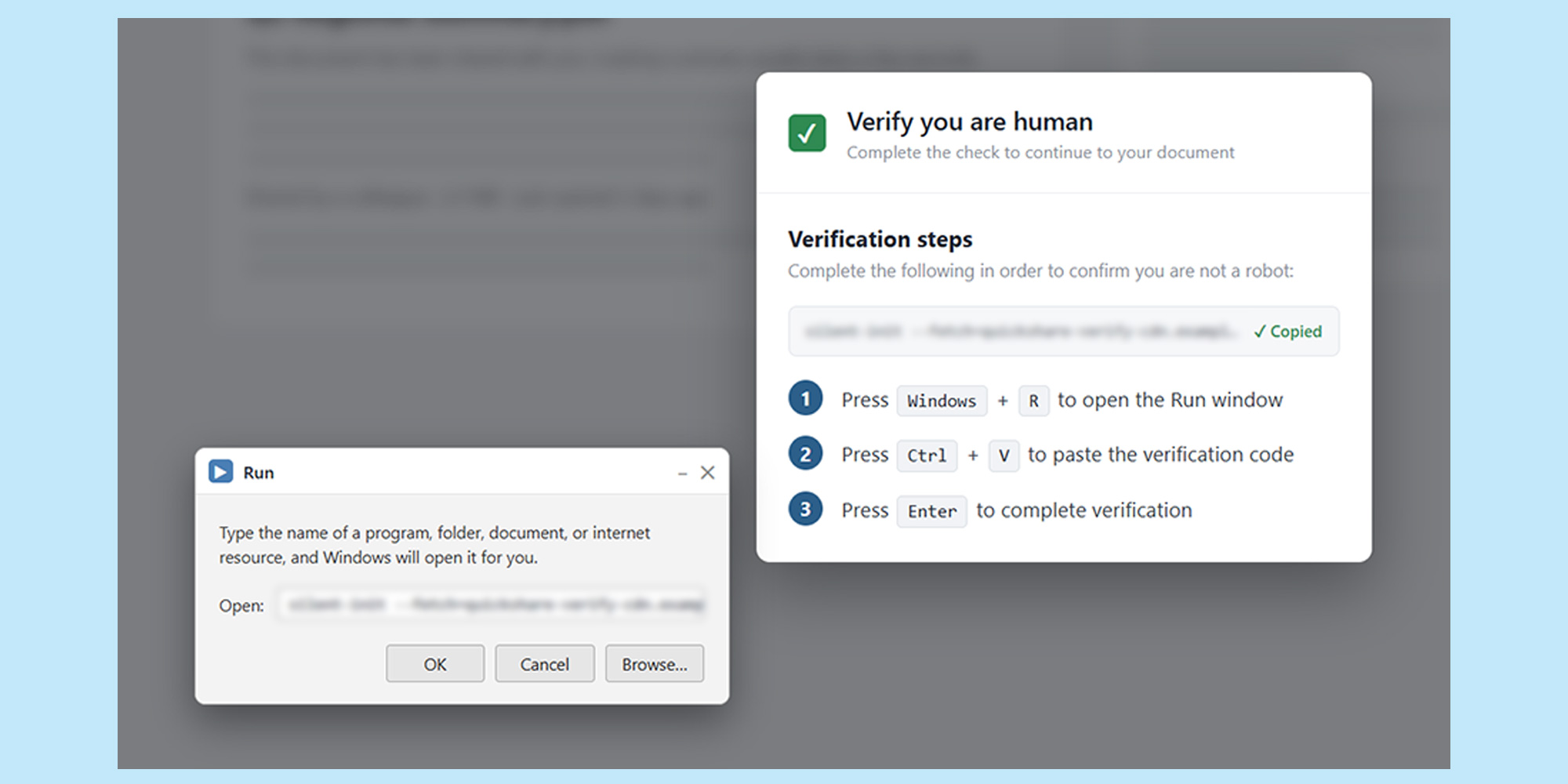
At a glance, a malicious Captcha can look like the real thing. You might see a familiar ‘Verify you are human’ message, or a checkbox asking you to confirm you’re not a robot.
Windows key + RWindows RunIn some cases, the website might have already copied a command to your clipboard. If you follow the instructions and paste it into Windows Run, you could unknowingly run a command that downloads malware onto your computer. Once installed, malware can be used to steal passwords and personal information.
Sadly, these scams aren't limited to suspicious-looking websites. Cybercriminals can compromise legitimate sites and use them to display malicious prompts, so recognising the website doesn't necessarily mean the Captcha is safe.
Discover theHow to spot a fake Captcha
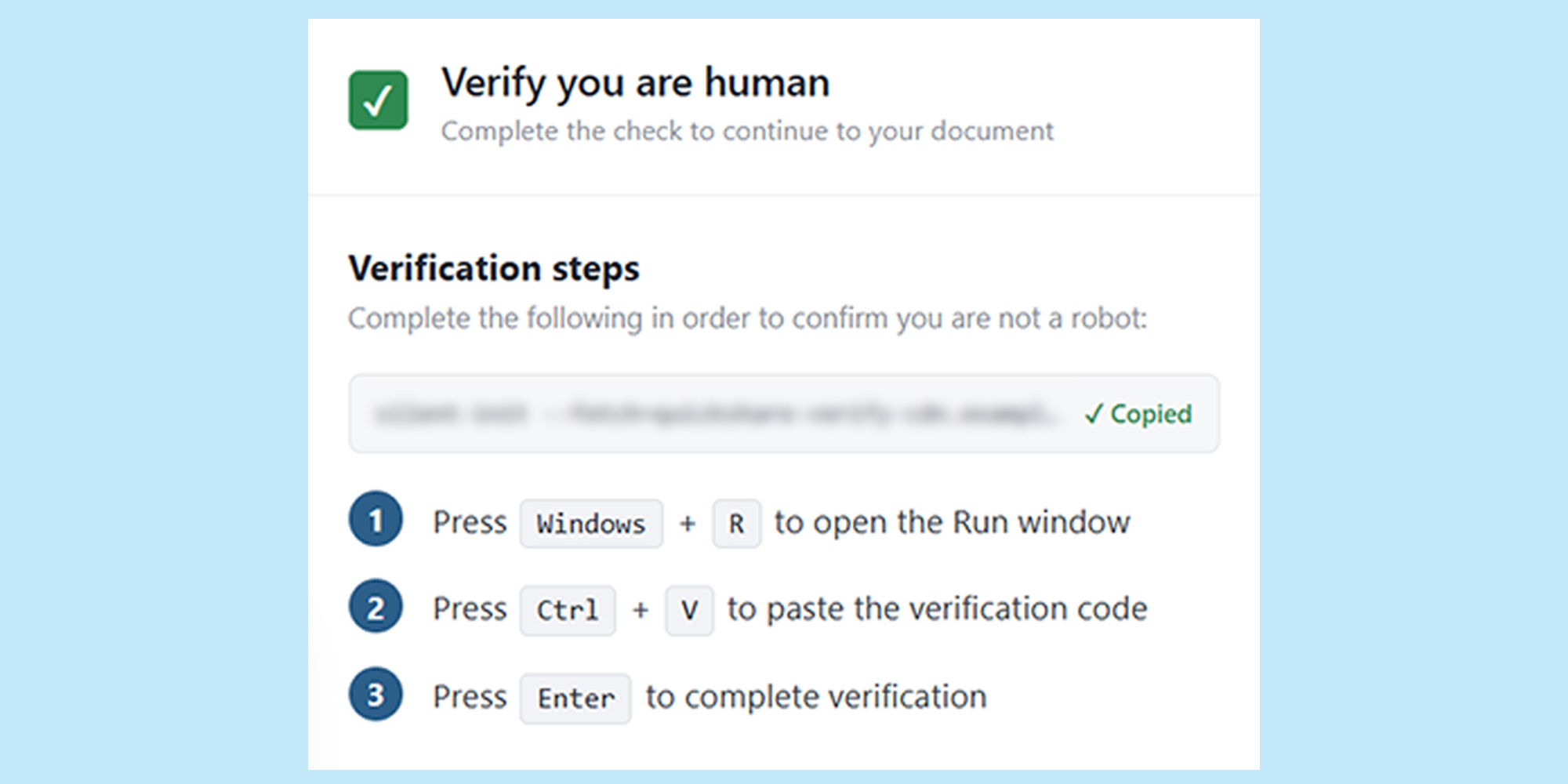
The biggest warning sign is being asked to do something outside your browser, such as opening another program or using a keyboard shortcut to access a Windows tool.
A genuine Captcha will usually ask you to tick a box, select pictures or complete another challenge on the webpage. It shouldn’t ask you to open Windows tools or paste commands into your computer.
Be suspicious if a ‘verify you are human’ check asks you to:Windows key + RWindows RunPowerShellCommand PromptIf you’re asked to do any of these things, don’t continue with the verification. Close the browser tab instead.
What to do if you followed the instructions
Spotted the scam before running the command? Close your browser and don't follow any further instructions.
If you've already followed the instructions in the fake Captcha and run a command, treat your computer as potentially compromised.
Disconnect your computer from the internetRun a malware scan Windows SecurityVirus & threat protectionScan optionsFull scanDon't sign in to important accountsChange your passwords using another device Check your accounts for suspicious activity – strange behaviour on your Windows or Mac PC could be more than a glitch, so check our tips to recognise the risks and keep your data safe.Join Which? Tech Support
Which? Tech Support can help you keep on top of your home tech. Our experts explain things clearly so that you can resolve issues and feel more confident using your devices.
Get unlimited 1-2-1 expert support:By phoneBy email By remote fixIn print Join .source https://www.which.co.uk/news/article/how-to-spot-a-fake-captcha-akIY78b2azrD