
Some reports of these scams claim the pop-ups appear with loud alert noises telling you that your device had been infected with viruses. Another said they received a pop-up claiming to be from Apple, which told them their Apple account was suspended for failing to adhere to its rules.
These malicious notifications can infiltrate your device after you've previously clicked on a dodgy link. Although they may seem alarming, you can safely ignore them.
Read on to discover what to do if you’re targeted by one of these pop-ups.
What is scareware?
Scareware is a type of scam that sees pop-ups appear on your phone, tablet or computer screen, saying that your device has been infected with viruses or malware.
The pop-ups typically feature a clickable button that claims to get rid of the malware or virus. Sometimes this button will say ‘start antivirus’ or ‘start scan’ to mislead you into clicking the link to rid your device of malware.
But these links will actually lead to malware being downloaded onto your device, or it may direct you to a phishing website that will trick you into entering your personal and financial information under the guise of getting rid of the malware.
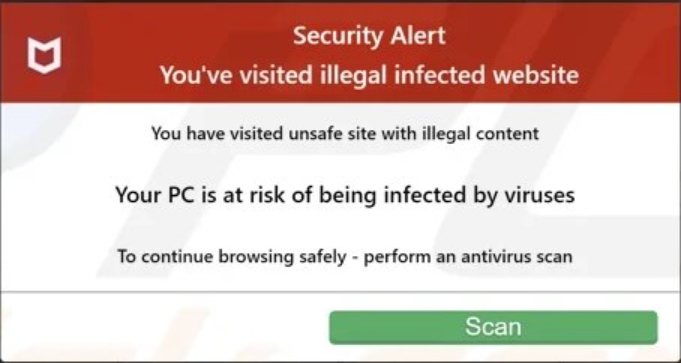
Why you’re seeing pop-ups on your device
You’ve most likely followed a dodgy link from a text message, email or online advert. Sometimes, when you follow a link like this, your browser asks you to allow notifications. By pressing allow, you’re allowing the pop-ups to appear.
These pop-ups appeared after we followed a malicious advert for an eye test we found on the Mail Online website. The pop-ups claimed that we’d visited an ‘unsafe site with illegal content’ and were facing a ‘malware attack’.
What to do with a scam pop-up on phones
If you're on your phone, you should stop the browser in your phone's app settings. On Android, go to Settings, Apps, select the browser's name ('Chrome', for example) and tap Force Stop.
On an iPhone:You should also clear your browsing data on the browser you were using when the pop-up appeared. You can do this by opening up the browser and clearing the data from either the history or the settings. Here, you can also stop the specific sites from sending you notifications, to prevent pop-ups from reappearing.
On AndroidHow to get rid of pop-ups on your computer
On a Windows computerOn a Mac:If you've lost any money or spot an unauthorised transaction on your account, you should contact your bank immediately using the number found on the back of your card.
undefinedsource https://www.which.co.uk/news/article/scareware-dodgy-popups-are-trying-to-get-you-to-follow-malicious-links-aPzhV4H7lGJM